

Product photography for Black owned businesses: the complete guide

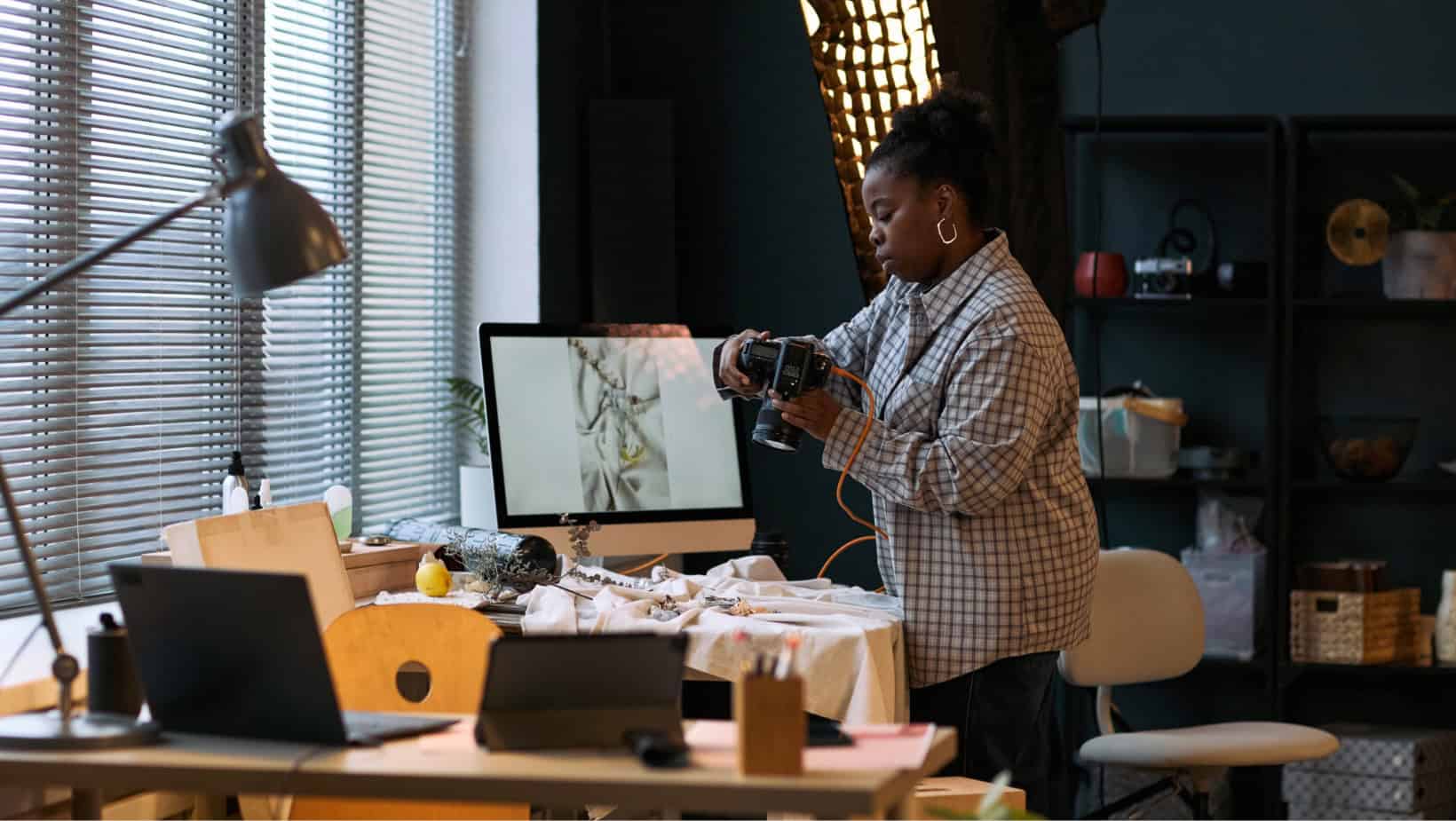
Everything you need to take scroll-stopping photos — no studio, no expensive gear, no experience required.
Your product photos are doing more work than you might think. Before a customer reads your listing title, checks your pricing, or scrolls through your description, they have already made a judgment call based on your image. That split-second impression can be the difference between a click and a scroll past.
The good news? You do not need a professional studio, an expensive camera, or a design background to take photos that convert. What you need is the right approach — and that is exactly what this guide covers.
Whether you are just getting your store set up on BlackSpace or you have been selling for years and want to level up your visuals, this is your complete reference. We are going to walk through every part of the process: the equipment, the lighting, the shot types, the styling, the editing, and how to build a look that feels cohesive and distinctly yours.
Let us get into it.
Why product photography matters more than you think
Online shopping asks customers to make a purchase decision without ever touching, smelling, or seeing your product in person. Your photos have to bridge that gap. They need to show exactly what someone is buying, communicate quality and care, and help the shopper picture the item in their own life.
Strong photos also signal professionalism. When your images look polished and consistent, customers trust your store more — even before they read a single word. And that trust translates directly into sales.
Here is what a great product photo can accomplish:
- It grabs attention in a crowded feed and earns the click
- It shows the product clearly, including color, materials, and finish
- It communicates size, scale, and how the item is used
- It helps shoppers imagine the product in their own space or life
- It builds confidence in your store and reduces returns
TIP: Think of your first listing photo as a thumbnail advertisement. It needs to stand out at a small size, against dozens of other products. Clarity and visual contrast are your best tools.
Choosing your equipment
You do not need to spend a lot of money to take great product photos. The best camera is often the one you already have — what matters much more is how you use it.
Smartphones
Modern smartphones are genuinely capable of producing beautiful product photos. If you already have one, start there. The key is to shoot in good light, keep the lens clean, and use your phone’s portrait or pro mode for more control over focus and depth of field. Avoid digital zoom — instead, physically move closer to your product.
Point-and-shoot cameras
A compact camera with at least 10 megapixels and a macro setting is a solid, affordable upgrade from a phone. The preset modes make it beginner-friendly, and the ability to capture fine detail is noticeably better. Avoid using the built-in flash — it tends to flatten images and wash out color.
DSLR and mirrorless cameras
If you are ready to invest, a DSLR or mirrorless camera gives you the most control — manual settings, interchangeable lenses, and the ability to shoot in low light without sacrificing quality. The learning curve is steeper, but the results show. A mirrorless system is a slightly friendlier entry point if you are new to manual photography.
Useful gear to have on hand
- A tripod — keeps shots sharp and consistent, especially in lower light
- A remote shutter or cable release — eliminates camera shake when pressing the button
- A macro lens — great for detail shots on jewelry, textile work, or small items
- A reflector or white foam board — bounces light back onto your subject without extra cost
- A lightbox — ideal for smaller products; creates clean, consistent lighting in minutes
NOTE: A lightbox does not need to be expensive. You can build one at home with a cardboard box, white tissue paper, and a couple of lamps. The effect rivals most compact commercial setups.
Getting your lighting right
Lighting is the single most important factor in a good product photo. It determines whether your colors look true, whether texture comes through, and whether the image feels professional or flat. Get the lighting right, and everything else becomes easier.
Natural light
Natural light from a window is your best friend — it is soft, flattering, and free. Place your setup near a large window and shoot in the morning or early afternoon when the light is bright but not harsh. Overcast days are actually ideal: the clouds act as a natural diffuser, giving you even, shadow-free light.
Avoid shooting in direct sunlight, which creates harsh shadows and washes out colors. If sunlight is streaming in at an angle, hang a sheer white curtain or tape a piece of white tissue paper over the window to soften it.
Artificial lighting
When natural light is not reliable — whether because of your schedule, your location, or the season — a simple artificial setup gets you consistent results any time of day. A softbox continuous lighting kit with three lights (front, two sides) eliminates shadows and gives you even coverage. These kits are widely available and reasonably affordable.
The key rule with artificial lighting: never mix natural and artificial light in the same shot. They have different color temperatures, which makes products look inconsistent and can distort true colors.
What to avoid
- Your camera’s built-in flash — it creates harsh shadows and hot spots
- Overhead room lighting — it tends to be flat and color-unfriendly
- Mixed light sources — natural and artificial lighting in the same shot
- Harsh direct sunlight — it bleaches colors and creates extreme contrast
TIP: A piece of white foam board placed opposite your light source acts as a reflector and fills in shadows for free. It is one of the highest-impact, lowest-cost tools in product photography.
Backgrounds and backdrops
Your background should do one thing: keep the shopper’s attention on your product. Anything that distracts from what you are selling is working against you.
Neutral backgrounds — white, light grey, cream, or natural textures like wood and linen — are the most versatile choice. They work for almost any product, photograph cleanly, and create a consistent look across your store. When in doubt, start with white.
To create a seamless backdrop (no visible edges or seams), run a large sheet of paper or smooth fabric from the wall down to the surface your product sits on, curving it gently. This “infinity sweep” makes your product appear to float cleanly without distraction.
Lifestyle backgrounds
Not every photo needs a plain background. Lifestyle images — products shown in context, in a kitchen, on a desk, in an outdoor setting — connect emotionally with shoppers and help them imagine the product in their own life. These work especially well as secondary shots, after you have established a clear studio shot as your primary image.
Consistency matters
Using the same one or two backgrounds across all your listings creates a visual coherence that makes your store feel intentional and branded. When someone lands on your store page, all the thumbnails should look like they belong together.
IMPORTANT: Avoid patterned, colorful, or busy backgrounds, especially for your primary listing photo. They compete with your product and make thumbnail images harder to read at a glance.
The 7 types of product shots — and how to use them
One great photo is not enough. Your listing needs to tell a complete story. Here are the seven types of shots that do the most work, and what each one achieves.
1. The studio shot
A clean image of your product against a neutral background. This is your primary listing photo — the one that appears in search thumbnails. It needs to be clear, bright, and immediately legible at a small size.
2. The lifestyle shot
Your product shown in use or in context. A lifestyle shot helps shoppers picture themselves owning and using the item. If you sell candles, show them lit on a dining table. If you sell tote bags, photograph one being carried. This is where aspiration meets practicality.
3. The detail shot
A close-up that highlights texture, material quality, fine craftsmanship, or distinctive features. This is your proof of quality — the shot that earns trust. Get close, use macro mode if available, and show what makes your work special.
4. The size and scale shot
A photo that communicates dimensions — using a hand, a common object, or a ruler. Online shoppers cannot pick up your product, so if size matters, show it. This shot reduces uncertainty and prevents the disappointment (and returns) that come from unmet size expectations.
5. The variation shot
If your product comes in multiple colors, sizes, or styles, photograph each option. Shoppers want to see exactly what they are choosing. Linking listing photos to specific variations in your Seller Dashboard makes the experience even clearer.
6. The packaging and gifting shot
Show your product as it will arrive — especially important if your packaging is part of the experience. A beautifully wrapped order signals care and quality. If your products make great gifts, this photo makes that implicit message explicit.
7. The grouping shot
If you sell complementary items, photograph them together. This naturally surfaces related products and encourages customers to buy more than one thing. It also creates visual interest and shows the full scope of what your store offers.
TIP: Your first listing photo is the most important one — it has to work as a thumbnail. For the other nine slots, think about telling a story: introduce the product, show it in use, zoom in on the details, and prove quality.
Styling your shots
Styling is how you communicate your brand’s personality through a photo. The props you choose, the colors you work with, and the mood you set all tell a story before the customer reads a single word.
Know your brand aesthetic
Before you start styling, write down a few words that describe how you want your store to feel. Warm and artisan? Clean and modern? Bold and playful? Earthy and organic? Those words are your styling guide. Every prop, surface, and color choice should reinforce that feeling.
Props: what to use and how
Props add context and life to your photos, but they should support your product — never compete with it. Choose items that make visual sense alongside what you sell and that reinforce your brand aesthetic. A handmade soap bar might sit alongside dried botanicals and a linen cloth. A piece of jewelry might rest on marble or reclaimed wood. Keep props simple and intentional.
Avoid anything that distracts from your product or creates confusion about what is actually for sale. If a customer has to ask what the product is, the styling has gone too far.
Using models
For wearable items — jewelry, clothing, accessories — using a real model (or photographing yourself) instantly makes the item more relatable and shoppable. It answers size questions visually, shows the product in motion, and adds a human warmth that flat lays cannot replicate. If hiring a model is not practical right now, even a hand can make a huge difference for jewelry and smaller accessories.
Seasonal and occasion styling
Updating your styling seasonally keeps your store feeling current and gives shoppers a reason to come back. A simple seasonal prop — a pinecone, a spring bloom, a holiday ribbon — can make your listings feel timely without requiring a full reshoot. Think about occasions too: gifts, weddings, back-to-school, self-care rituals. Lean into the context where your product naturally fits.
TIP: Keep a consistent color palette across your lifestyle shots. Even two or three recurring accent colors — in props, surfaces, or fabrics — create visual cohesion that makes your entire store look more polished.
Shooting with a smartphone
If a phone is your current camera, that is completely fine. Some sellers build thriving stores on phone photography alone. The gap between phone and DSLR quality is much smaller than it used to be — what makes the biggest difference is how you approach the shoot.
- Clean your lens before every session — a smudged lens kills sharpness
- Use portrait or pro mode for more control over focus and depth of field
- Tap the subject on screen to set focus and exposure correctly
- Use a tripod or prop your phone against a stable surface to eliminate blur
- Shoot in the highest resolution available — you can always crop down, never up
- Avoid using digital zoom — move physically closer to your product instead
- Take way more shots than you think you need; editing a great photo out of 30 is far easier than hoping the first five were perfect
TIP: If your phone has multiple lenses, use the main (standard) lens rather than wide-angle for product photography. Wide-angle lenses can distort product proportions, which is rarely flattering.
How to shoot challenging products
Some product types have their own set of photography challenges. Here is how to approach the most common ones.
Jewelry and small items
Small products need macro-level detail. Use a macro lens if you have one, or enable macro mode on your phone or compact camera. A plain white or neutral background keeps attention on the piece. Consider scale shots — a finger, a wrist, a palm — to give buyers a sense of size. Close-up detail shots are especially important for metalwork, stone settings, or hand-embellished pieces where quality lives in the fine details.
Clothing and textiles
Clothing photographs best on a model or a mannequin. Flat lays work for some items, but they rarely communicate drape, fit, or scale the way a worn shot does. Iron or steam everything before shooting. Use bright, even lighting and a clean neutral background. For texture-heavy textiles — woven goods, embroidery, knitwear — close-up detail shots are a must.
Artwork and prints
Show your work hanging in a realistic setting — a home, an office, a gallery wall — to help buyers visualize the piece in their own space. Include a scale reference. Photograph detail sections that show the quality of the medium, brushwork, or print quality. Avoid backgrounds that compete with the artwork itself.
Large or furniture items
You will need more space and more light. Style the item in a realistic room setting that reflects your target customer’s aesthetic. Include a scale reference — a person, a plant, a common object — so buyers have an accurate sense of dimensions. Shoot from multiple distances and angles. If natural light is not sufficient in the space, a portable softbox lighting kit is worth the investment.
Vintage and one-of-a-kind items
Since every vintage item is unique, documentation matters. Photograph front, back, interior, and any areas of wear or imperfection. Honesty in vintage photography builds trust and reduces returns. Show care and character — a well-styled vintage shot that captures the personality of the piece is far more compelling than a clinical documentation shot.
Editing your photos
A little editing goes a long way. You do not need advanced skills or expensive software — the goal is simply to make your photos look as close to real life as possible: accurate colors, good exposure, clean composition.
What to focus on
- Brightness and exposure: Adjust until your product colors match how they look in person
- White balance: Correct any color casts — warm or cool — so your neutrals look truly neutral
- Contrast: A slight boost adds definition and makes products pop
- Cropping: Remove excess background and focus attention on the product
- Sharpening: A light sharpen improves detail visibility, especially on texture-heavy items
What to avoid
Avoid Instagram-style filters that alter the actual colors of your product. A deep amber filter on a light blue ceramic mug, for example, will lead to customer disappointment and returns. Keep your editing subtle and true-to-life.
Similarly, avoid over-sharpening, which creates artificial-looking halos around edges and gives photos an uncanny quality.
Tools to use
For phone photography, Lightroom Mobile, Snapseed, and VSCO offer more control than built-in phone editors. For desktop, Lightroom, Photoshop, and even Canva can handle basic photo adjustments well. For background removal, tools like remove.bg make clean white-background shots quick and straightforward.
TIP: Save your edit settings as a preset or write them down. Applying the same adjustments to every photo in a batch keeps your store visually consistent and saves significant time.
Building a cohesive visual brand
Individual great photos are valuable. But a store where every photo feels like it belongs to the same family? That is what turns browsers into loyal customers.
Visual cohesion does not mean everything looks identical — it means everything feels intentional. The same general color temperature. A recurring background or surface texture. A consistent level of warmth or brightness. Props that share an aesthetic DNA.
Create a photography style guide
Once you have settled on an approach that works, document it. Note the light source and time of day, the background color or material, your main prop palette, and your editing preset. This is your style guide — use it every time you shoot, and your store will build a recognizable visual identity over time.
Check your store as a grid
After any batch of new photos, look at your listings as a grid — the way a customer sees your store page for the first time. Do the thumbnails feel cohesive? Is there one that sticks out oddly? Does the overall impression say what you want it to say about your business? That bird’s-eye view reveals things that individual image reviews miss.
Extend your visual identity beyond listings
Your store banner and profile image should feel like they belong to the same visual world as your product photos. Consistent tones, a shared color palette, and a unified mood create an end-to-end impression that communicates craft, intentionality, and pride in your work.
NOTE: Your visual brand does not have to be complicated. Two backgrounds, one consistent lighting setup, and a small shared prop palette can be enough to create a store that looks and feels completely your own.
Adding video to your listings
Video is an increasingly powerful tool for online sellers. A short listing video — even just 10 to 15 seconds — lets shoppers see how your product moves, how it is used, and how it looks from multiple angles in a way that photos simply cannot replicate. It builds confidence and reduces uncertainty, which directly impacts conversions.
You do not need production equipment. A phone on a tripod, good natural light, and a clean background are enough. Show the product from multiple angles, demonstrate its use or function, and if relevant, show the scale. Keep it steady, short, and well-lit.
Behind-the-scenes content — your workspace, your process, your materials — also resonates with buyers on Black owned business marketplaces like BlackSpace. It adds authenticity and reinforces the human story behind what you sell.
Common photography mistakes — and how to avoid them
- Using only one photo per listing: Give buyers a full picture. Use as many slots as the listing allows.
- Inconsistent lighting across your store: Mixing warm and cool lighting across listings creates a disjointed impression. Standardize your setup.
- Photos that are too dark: If your product details are hard to see, buyers will not buy. When in doubt, go slightly brighter.
- Blurry shots: Use a tripod, clean your lens, and check focus before you finalize.
- No size reference: Shoppers cannot hold your product. Show them exactly how big it is.
- Outdated or seasonal photos: Refresh your photography periodically. A listing with wintery props in June feels dated.
- Photos that do not match the actual product: Accurate color representation is essential. Filter-heavy editing that changes how your product looks will lead to returns and disappointed customers.
Your product photo shoot checklist
Use this before every session to set yourself up for a smooth, productive shoot.
Before you shoot
- Schedule dedicated time — batch multiple products in one session for consistency
- Clean and prep each product: lint-roll fabric, polish surfaces, remove any dust or fingerprints
- Gather your props, backdrop materials, and any accessories you plan to use
- Set up your lighting and check for unwanted shadows or hot spots
- Secure your camera or phone on a tripod
During the shoot
- Plan your shots before you start: studio shot, detail shot, lifestyle shot, scale shot
- Take far more frames than you think you need
- Note the date, light conditions, and setup so you can replicate them next time
- Check your focus on every frame — blurry is not fixable in editing
After the shoot
- Select your best shots and apply consistent edits
- Crop to remove excess background and focus on the product
- Check that colors match real life before uploading
- Review your store grid after uploading to confirm visual consistency
You have everything you need
Product photography does not need to be complicated, expensive, or intimidating. The sellers who do it best are not necessarily the ones with the nicest cameras — they are the ones who are consistent, intentional, and willing to put in the practice.
Every improvement you make to your photos is an investment in your store. Better photos mean more clicks, more trust, more sales, and fewer returns. And on a platform like BlackSpace — where buyers are specifically looking to support Black owned businesses — the professionalism and care in your photography reinforces exactly the message you want to send: that this is a serious business, run by someone who takes pride in their work.
Start where you are. Improve one thing at a time. And use your Seller Dashboard to monitor which listings get the most engagement — your customers will tell you what is working.
Ready to put your best products forward? Set up your store on BlackSpace and let your photography do the selling.

Jessie Taylor
Found this article helpful? Share it.
Discover more insights from BlackSpace